
Instantly access ADP APIs. With ADP API Central, developers can securely integrate your organisation’s HCM data with your internal and third-party business systems. Developers can select from a robust library of APIs that will suit your needs and begin building custom integrations to simplify and automate your business processes.
- Synchronise employee job titles, email addresses and demographic data between systems.
- Automate user provisioning between your systems when new hires are onboarded.
- Keep your timecards, work schedules, and time-off requests and balances updated between ADP and your timekeeping system.
- And much more — refer to our Developer Resources for a full list of available APIs.
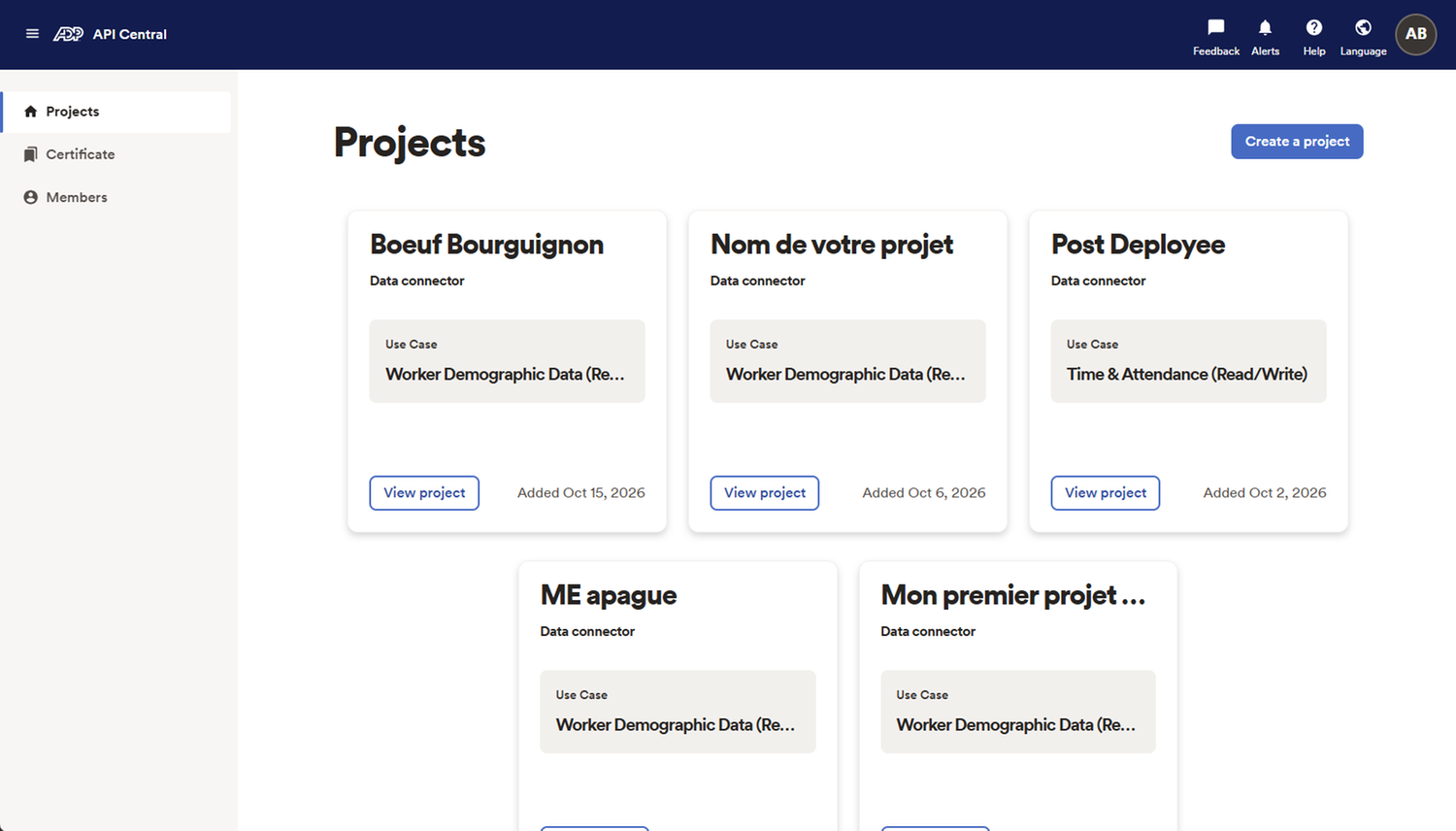
Get all the resources you need to help develop custom applications and data connectors using ADP APIs. Our comprehensive developer portal at developers.adp.com gives developers access to robust API documentation, code samples, developer libraries, how-to articles and more.
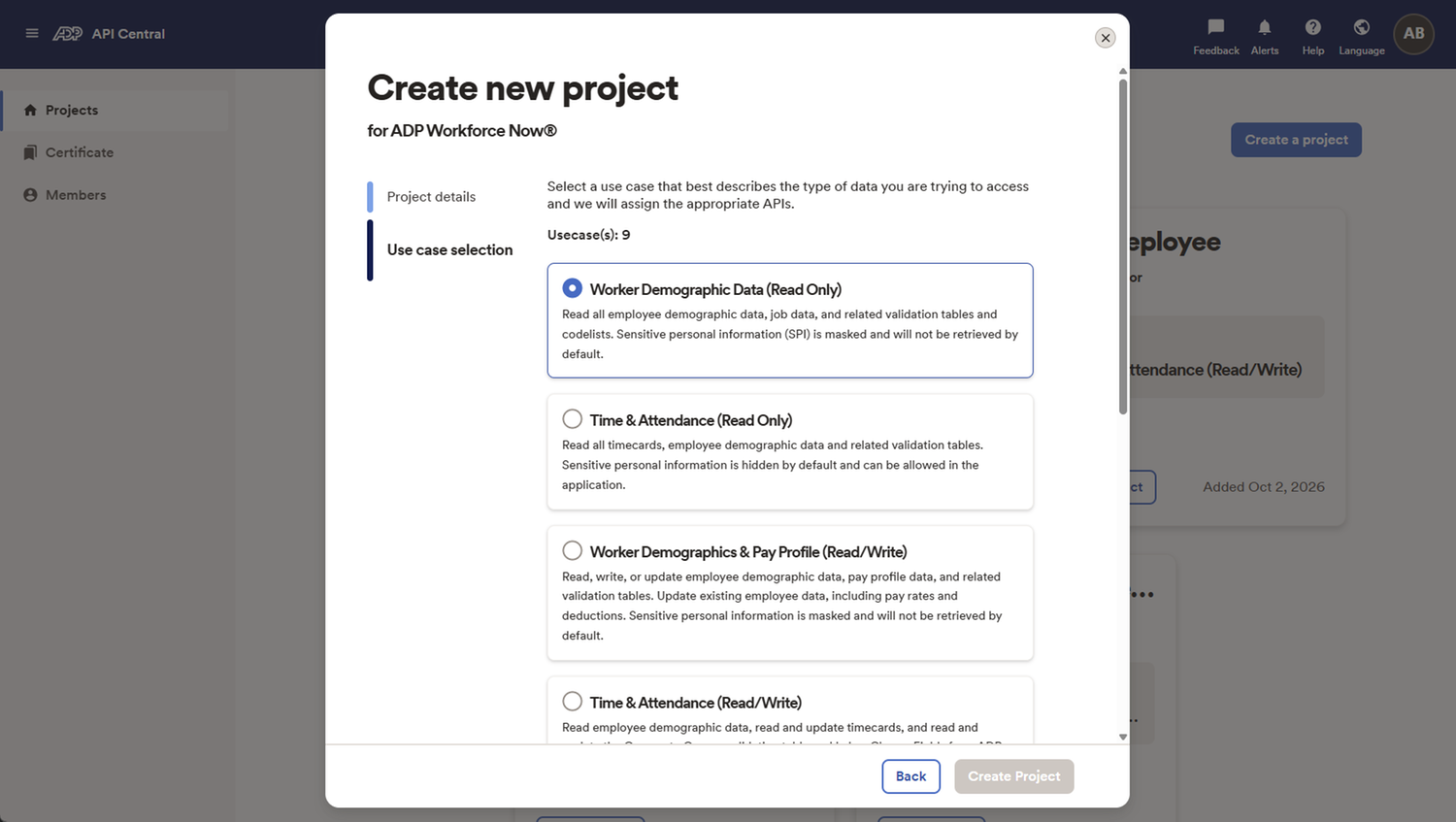
When starting a new custom integration project, developers can select from a set of common API use cases to begin development quickly. When you select a use case, your project will automatically populate with the APIs most integrators will need for that scenario.
- Employee Sync: Synchronise employee job titles, email addresses, and demographic data.
- Time, Attendance and Schedules: Read and update timecards and work schedules.
- PTO/Time Off: Read, update, and submit time-off requests and balances.
- Payroll Input: Add pay-data batches for a payroll cycle to include earnings, deductions, reimbursements and more.
- Onboarding: Onboard new hires into ADP.
- Recruiting: Read job and applicant data.
The API discovery tool makes it easy to instantly add new APIs to any ADP API Central integration project. A wizard and search feature lists available APIs by data flow intent, HCM domain, and sub-category data fields. Once you add a new API, code samples are immediately available to speed up the integration development work.
This self-service feature makes adding new APIs frictionless, which can reduce development time to accelerate integration benefits.
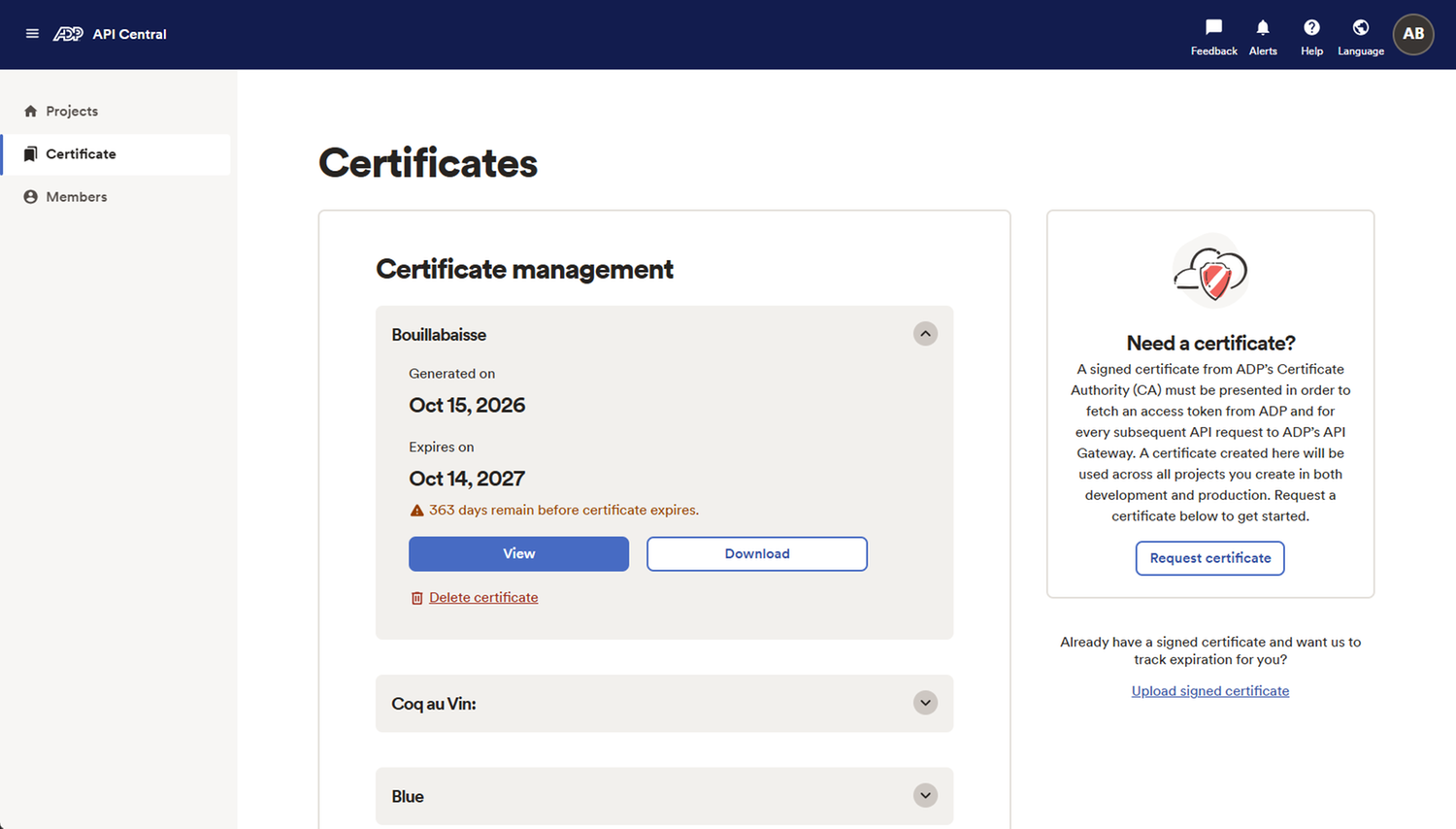
Easily request and manage your security certificates. Once you make a request, the certificate is auto-signed in real time, so developers can begin using APIs immediately.
Developers will receive notifications beginning 60 days before the certificate expires to ensure seamless integration with no interruption.
Credentials are automatically generated as soon as you start a new project. You can reset your credentials any time.
Easily add and manage access for the team members building your integrations, whether they’re from your organisation or a third party. Select the appropriate user role based on the desired access level. You can also reset passwords and revoke access.
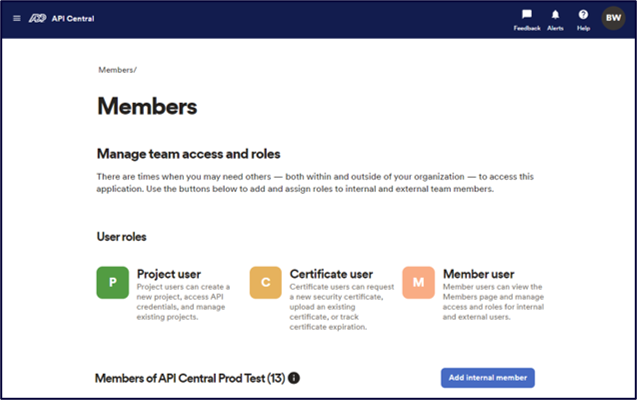
- Project users: Can create a new project, access API credentials, and manage existing projects
- Certificate users: Can request a new security certificate, upload an existing certificate, or track certificate expiration
- Member users: Can view the Members page and manage access and roles for internal and external users.
Developers can file support tickets directly through the API Central portal and get a response from our specialists, without HR practitioner approval.
API Central leverages OpenID Connect and OAuth 2.0 authentication and authorisation to ensure only authorised users and systems can access the data available via APIs. Regular security assessments and continuous monitoring ensure an ongoing focus on data security and integrity.
ADP Professional Services can support the entire integration lifecycle, from design and development to implementation and ongoing management. To learn more, please contact your Sales Representative, who can connect you with a Professional Services Consultant.